Back April 04, 2022
Reply to tickets via Slack
We rolled out a lot of optimizations this week that you and our other users requested to help you respond faster and better. Let's jump in:
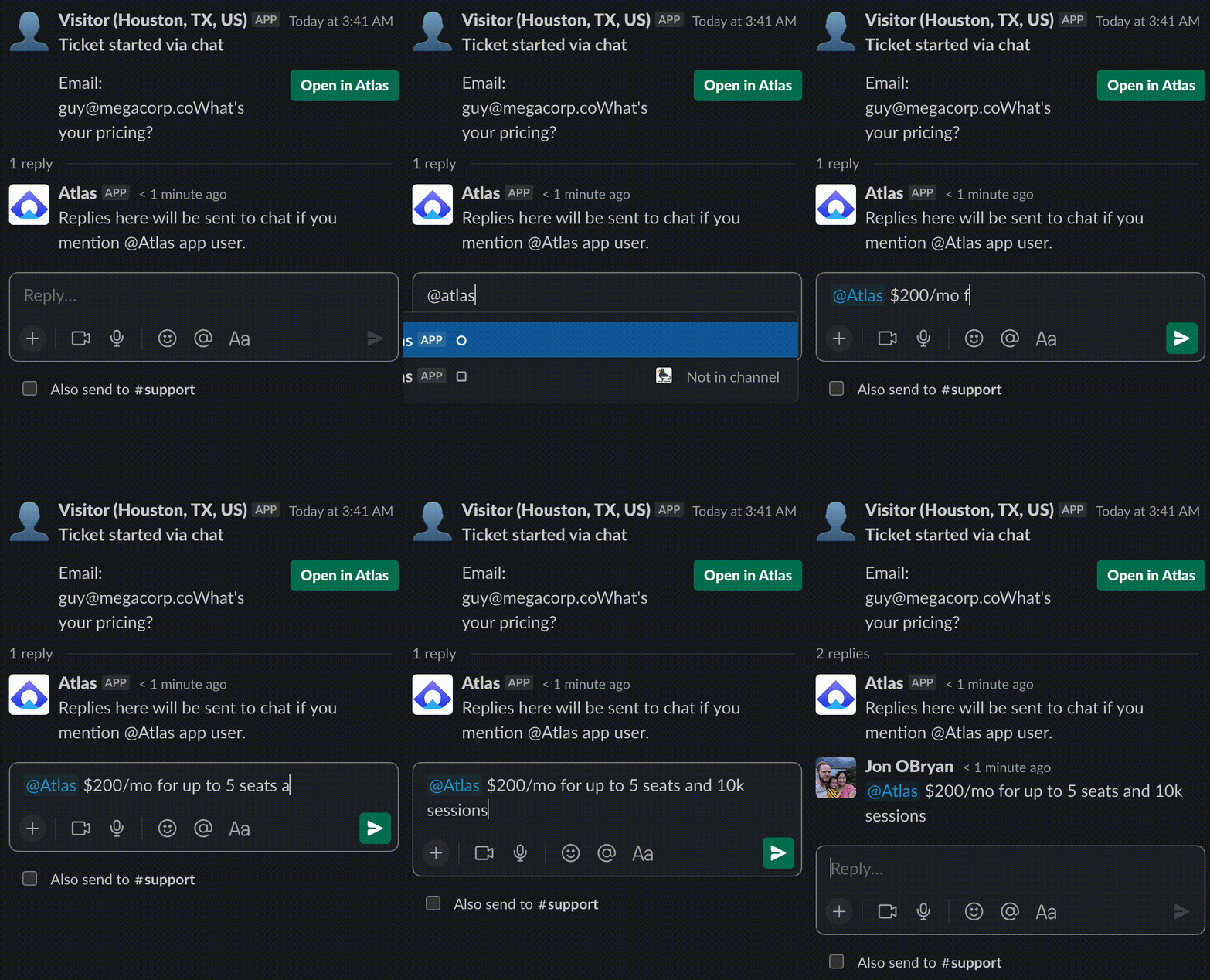
- #️⃣ Reply in Slack by starting a message in a ticket thread with "@Atlas".
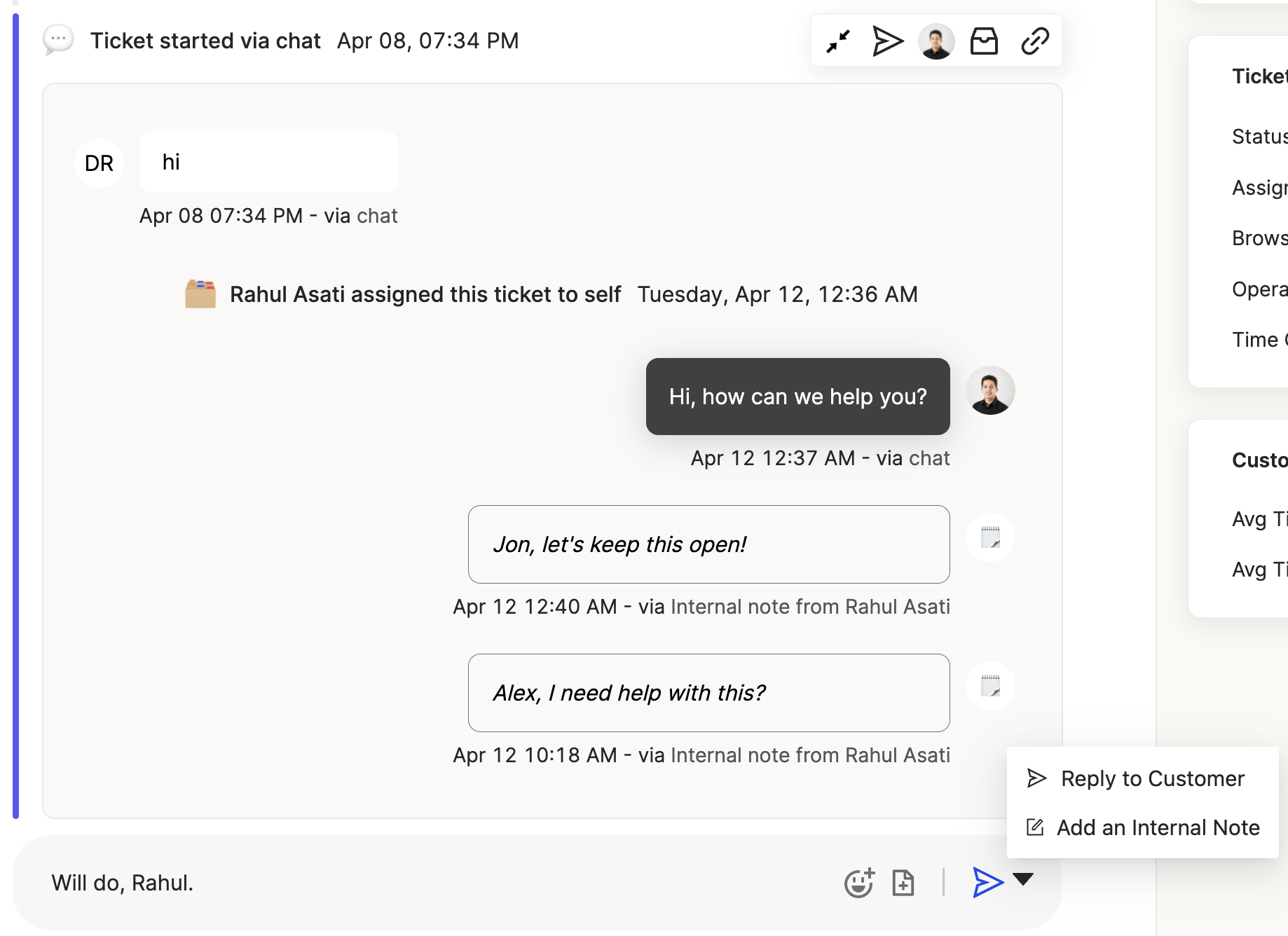
- 📝 Add internal notes by clicking the down arrow next to the send button in the composer and selecting "Add an internal note." These are only viewable by your team and are saved to the ticket that you have selected.
- ✨ Bonus ✨ ✏️ Support for lists and strikethrough added to composer, accessible by highlighting the text you want to format in the composer.
Let us know what you think!