Context is a core principle to how we build Atlas. When you’re talking to your customers, it’s important to be able to see what other teams are working on for your customers. We’re introducing three more integrations this week to give you a richer understanding of your customers’ experience:
- Sentry for viewing bugs,
- Linear for viewing engineering and product issues, and
- Segment for viewing custom events.
To illustrate, let’s walk through a scenario where we’ve received a ticket from a customer who is unable to checkout.
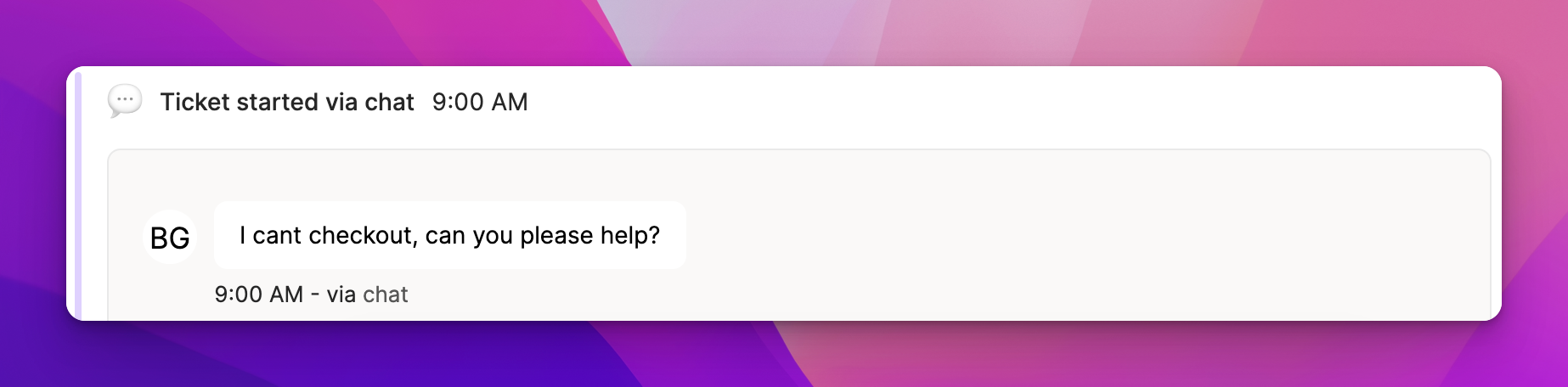
It’s not clear what the issue might be at this point, so let’s take a look at any related bugs.
Sentry
We’ve integrated with Sentry so that you can see the bugs that your customers are experiencing in their journey.
To integrate with Sentry, go to App Configuration > Integrations > Sentry (you can view documentation here for more details).
In this case, we can see that our customer is running into an error with the checkout button.
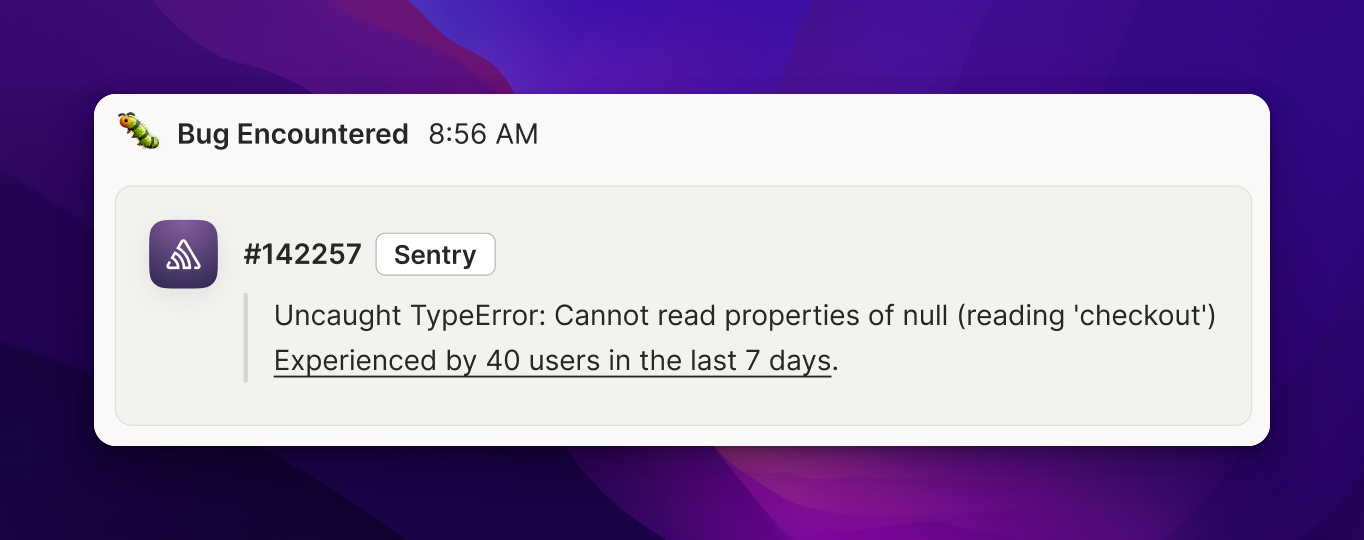
Next we need to tell engineering about this bug.
Linear
With our project management integrations (currently supporting Linear), you can now:
- associate a ticket in Atlas with an issue in your project management tool
- create a new issue in your project management tool (and associate it with a ticket in Atlas)
- view the current status of issues
- get notified whenever an issue associated with a ticket is marked complete or canceled
We can create bug ticket for our engineering team for the checkout error.
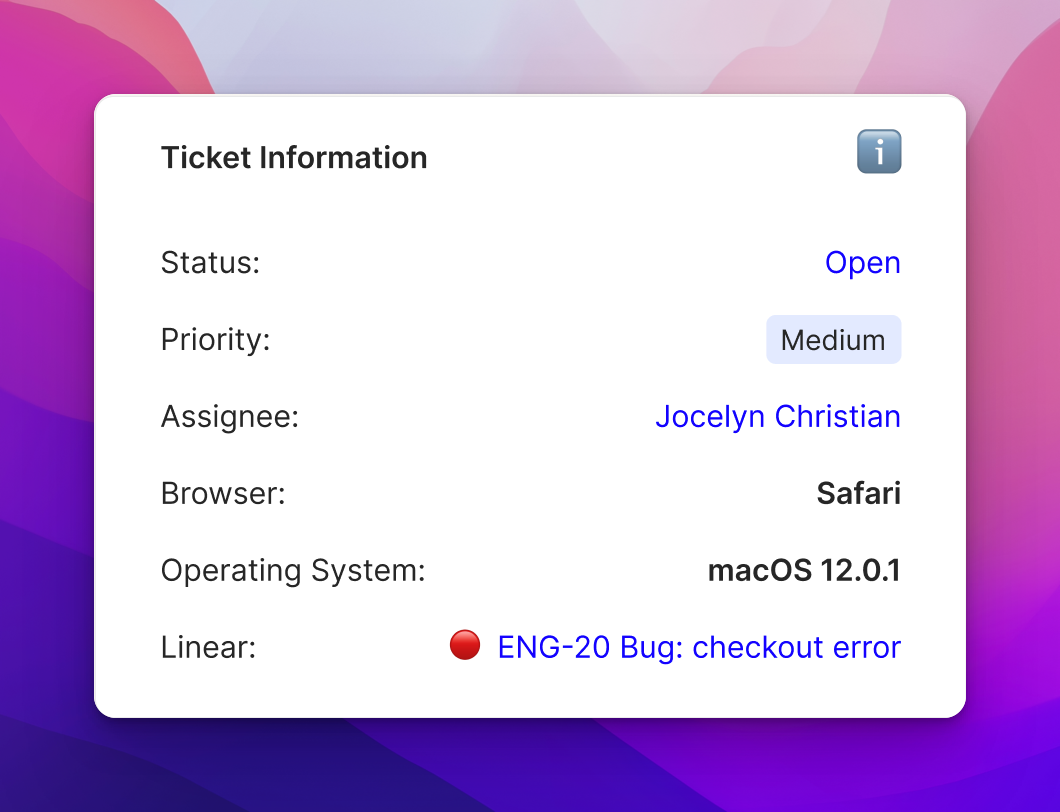
Finally, we want to check that our customer is able to checkout.
Segment & Custom Events
We added a Custom Events feature so that you can now add any events from your customers’ journey to the Customer Timeline and Session Recordings.
You can add these events via API or via Segment and customize which events show up where in App Config > Data > Custom Events.
We can see our customer has completed the checkout process.
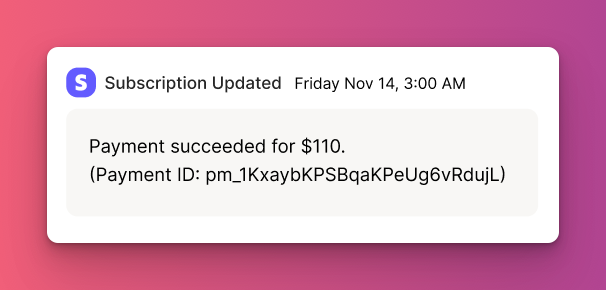
If you’d like help determining which events are most important for your business, event tracking best practices, or help setting up Custom Events, reply to this email and we can schedule a time to chat.
Which integrations would you like to see next? Let us know!