We’ve officially reached the List Season in which you’re surely being inundated with top 10 lists like they’re going out of style. So, naturally, we thought you might also want to be able to see a list of your customers and accounts. 😃
This week, we’re introducing three new ways to enrich and view your customers’ info:
- accounts let you associate a customer with a company
- contact lists let you view customers and accounts in list form
- notes lets you add internal notes for individual customers and tickets
Let’s dig in.
Accounts
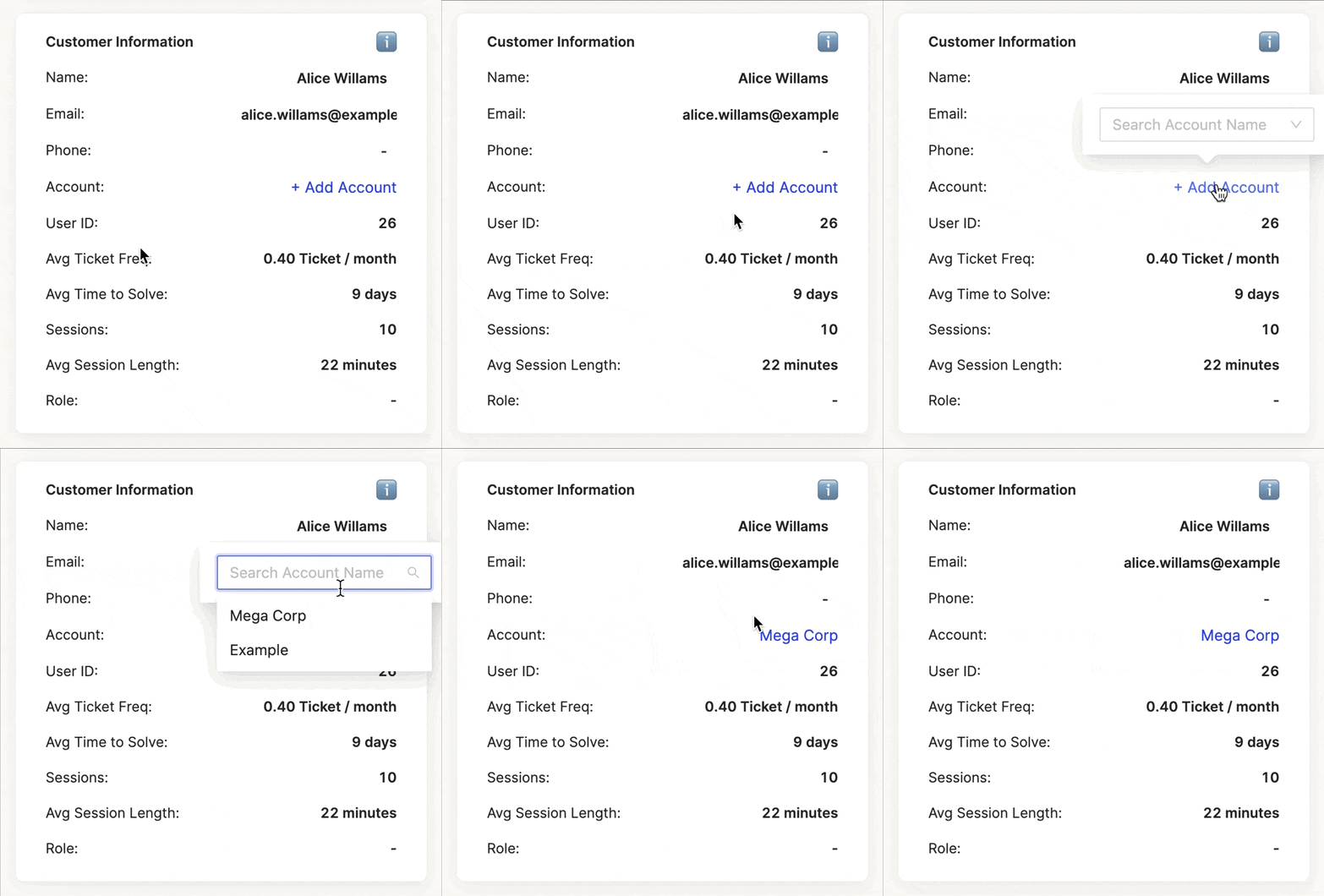
You can associate customers with a single account by going to the Info Pane for the user and clicking on “Add Account.” If the account associated with them hasn’t been created yet, type the name and you will have the option to “Create Account” where you’ll be prompted to fill in some basic account info.
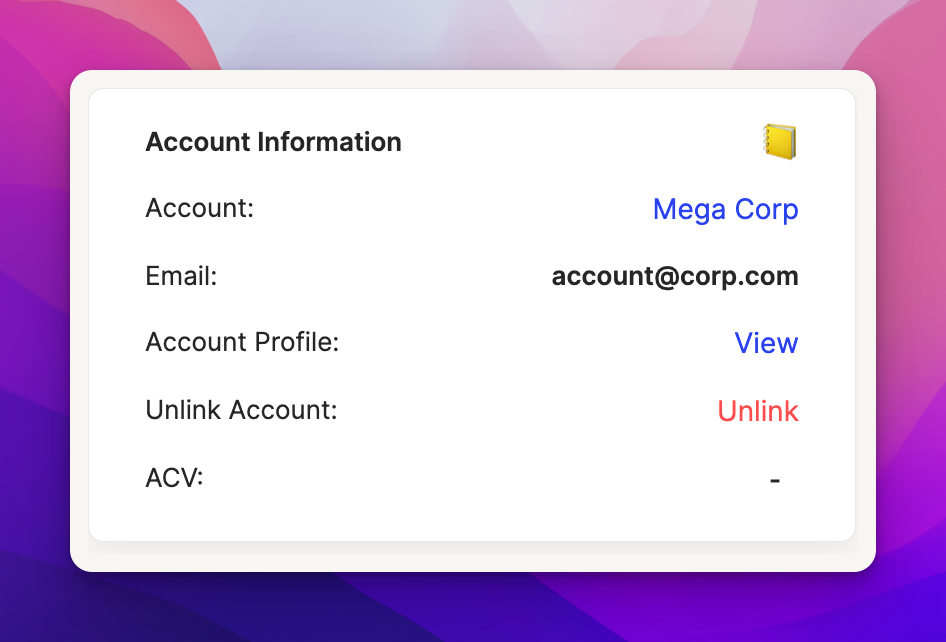
Once a customer is associated with an account, you’ll see the Account Information card show up in their Info Pane. You can edit the account properties here and can add custom fields for the account in App Config > Data > Custom Fields.
Custom & Account Lists
Customer and account lists live in the Contacts section of the app.
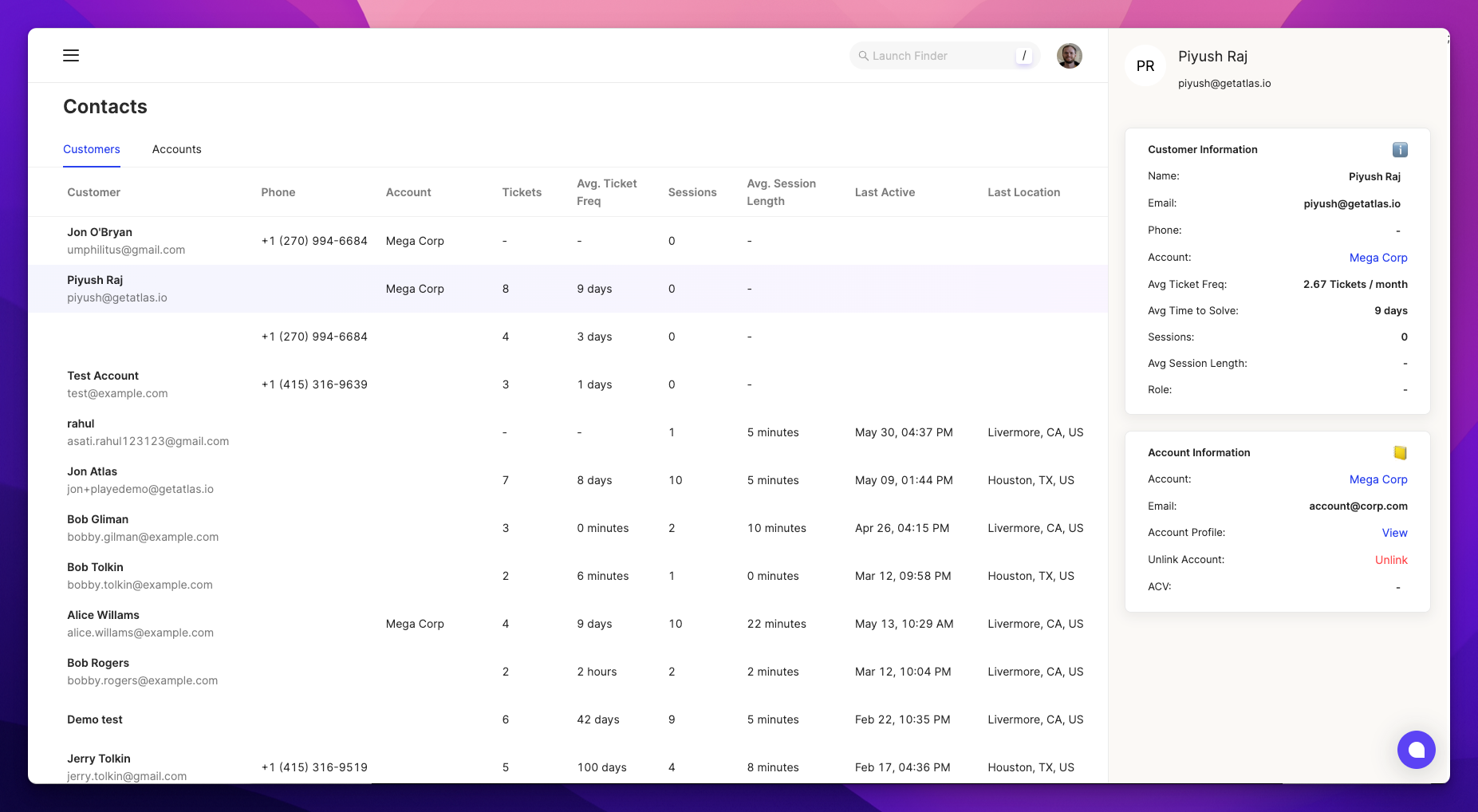
From here, you can get a quick understanding of which users are asking the most questions, how difficult their tickets are to solve, and how often and how long they use your app.
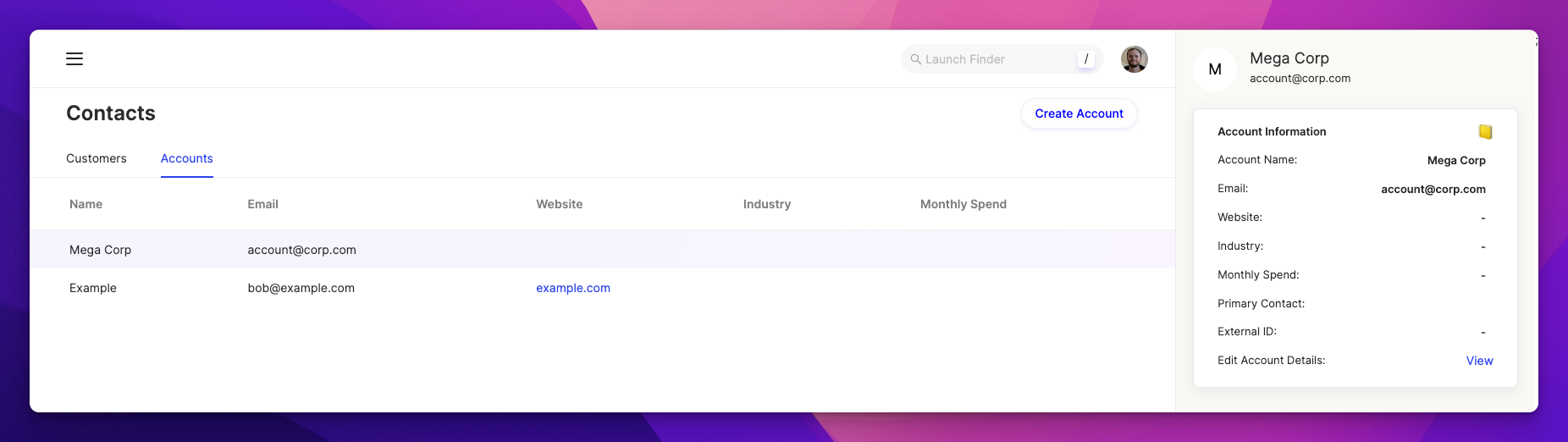
The account list lets you see all the customer associated with a given account as well as edit the associated account info.
Internal Notes
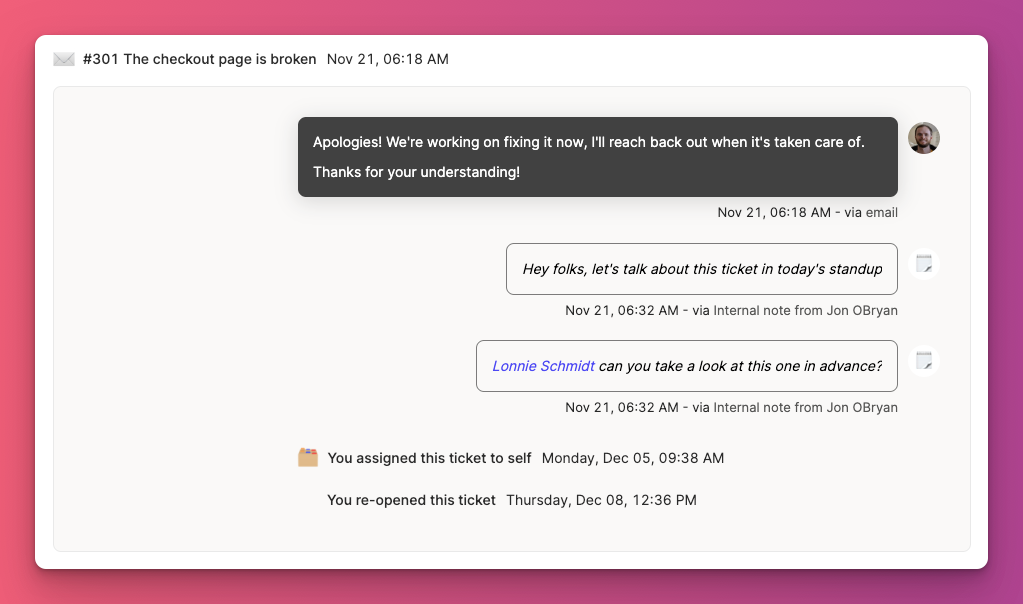
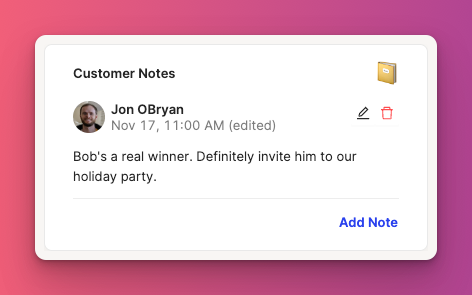
You can leave notes for your teammates that aren’t visible to your customers by adding internal notes, either on a per ticket basis where it will show up in the customer timeline on that particular ticket
or on a per customer basis where it will show up in the Info Pane for that customer.
Lastly, if you’ve got a bunch of accounts in another system (eg, your CRM), let me know — we’d be happy to help you migrate them over!