We love how Slack Connect makes it super easy for customers to report bugs and give feedback. It’s a secret weapon for startups to offer a white glove experience to their customers.
But at some point, it can devolve pretty rapidly into more of a problem than a solution. When you’ve added enough customers, it’s hard to keep track of every message and thread: who responded from your team, which messages are the most important, what’s been solved, what needs urgent attention, etc. This is what ticketing systems were created to solve.
Atlas for Slack Connect solves this problem by letting you convert Slack threads into tickets and respond to tickets from any channel from within Slack. Here’s how it works
Convert threads to tickets
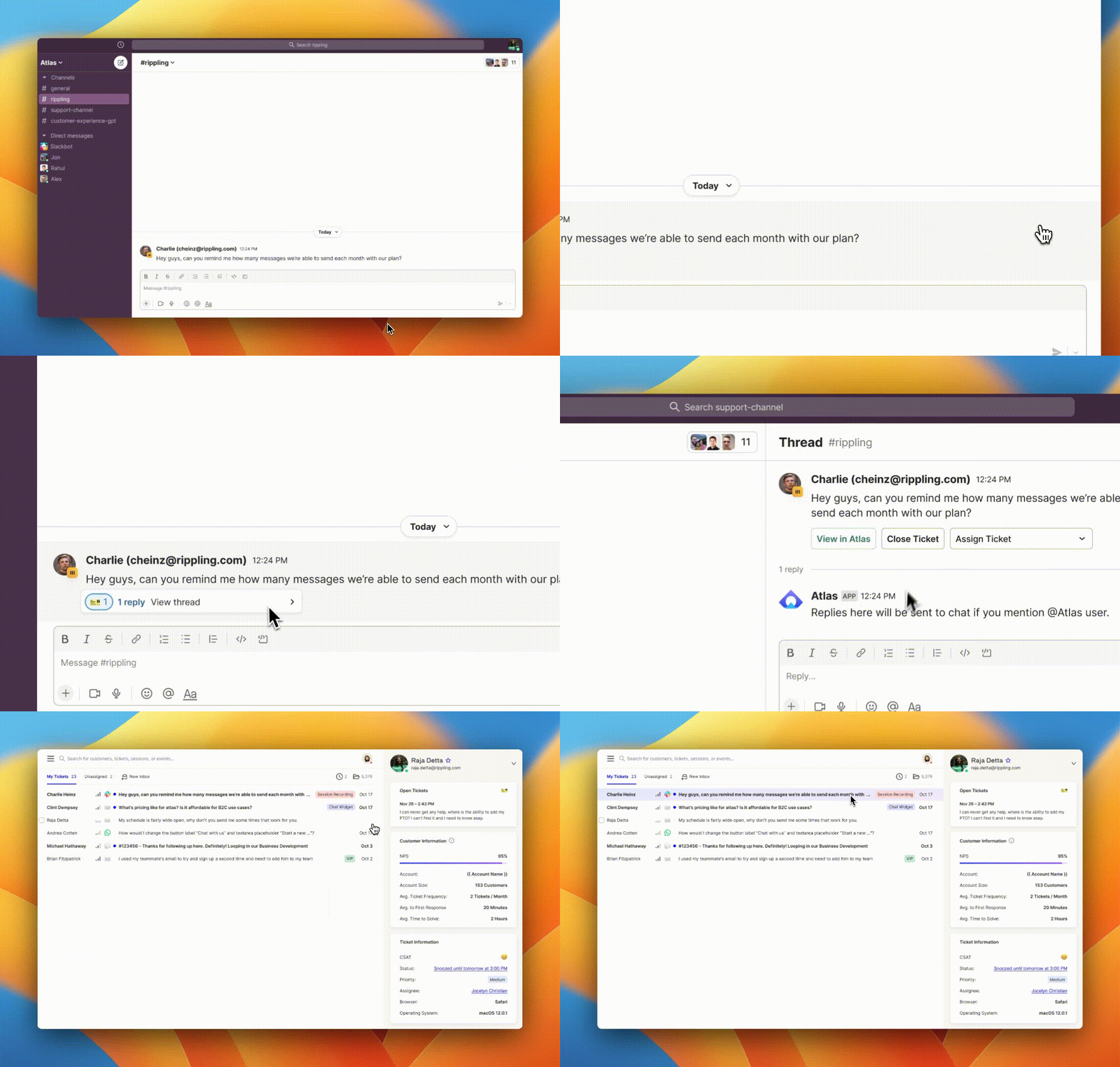
Add the 🎫 (”ticket”) emoji as a reaction to any message sent by a customer in one of your Slack Connect channels and it will be turned into a ticket. You’ll see the ticket in your designated support channel.
Respond from Slack
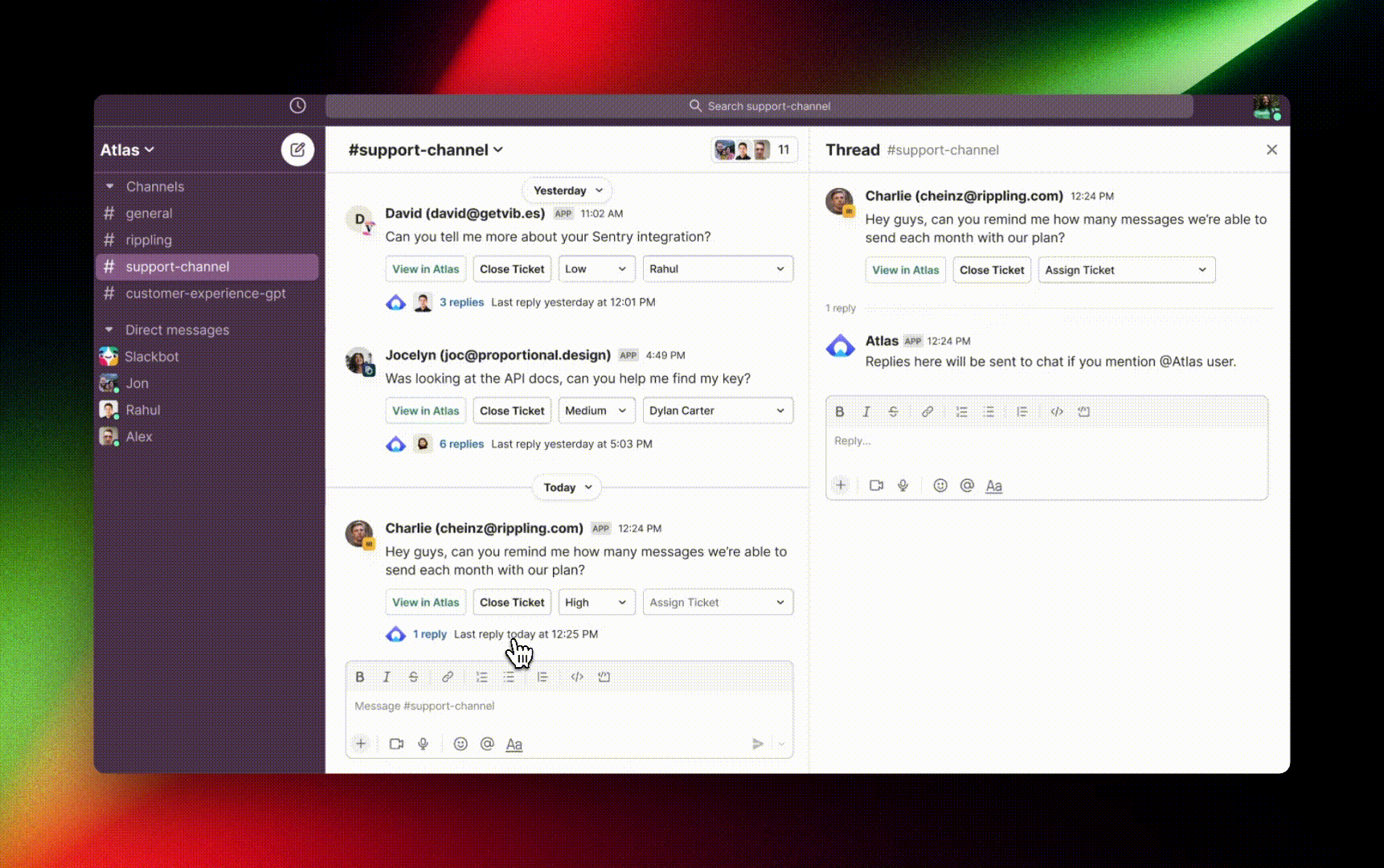
From the ticket thread in your support channel, you can now set the ticket’s priority, assign it to a teammate, talk with your teammates, and respond to the customer by adding @Atlas at the beginning of a message.
Bonus: this works for all channels
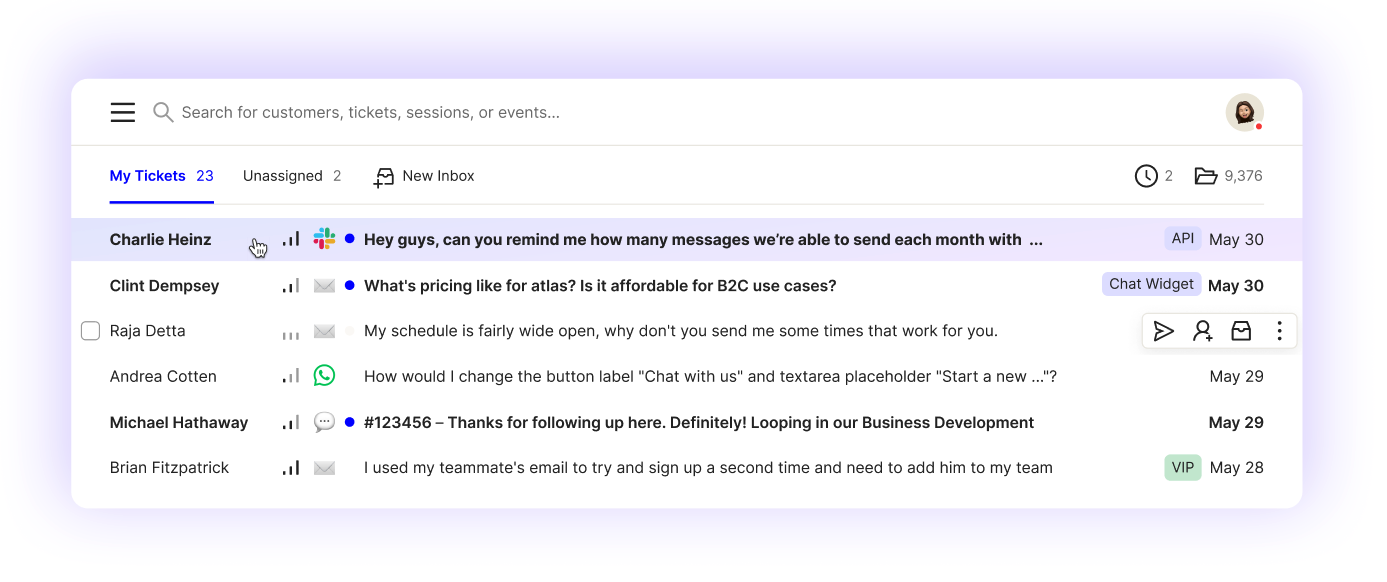
One last thing: you can setup Slack to receive new tickets from any channel. By default, all channels are enabled, but you can turn any channel off or on from the App Config > Slack page.