Our mighty little chat widget served us well for the last year, but the time has finally come for some beautification and improvements. Here’s a quick summary with details to follow:
- widget menu: add a menu to preface the chat widget to give your customers some options prior chatting with your team
- inbox: separate unread, open, and closed tickets in the customer’s chat inbox view
- chat: streamlined design, improved form functionality, and better interactivity
- help center: preview help center articles, organize articles by category, and search functionality
- miscellaneous: better state management, gradient background support, light/dark font toggle, customizable widget shape
Now for the details.
Widget menu
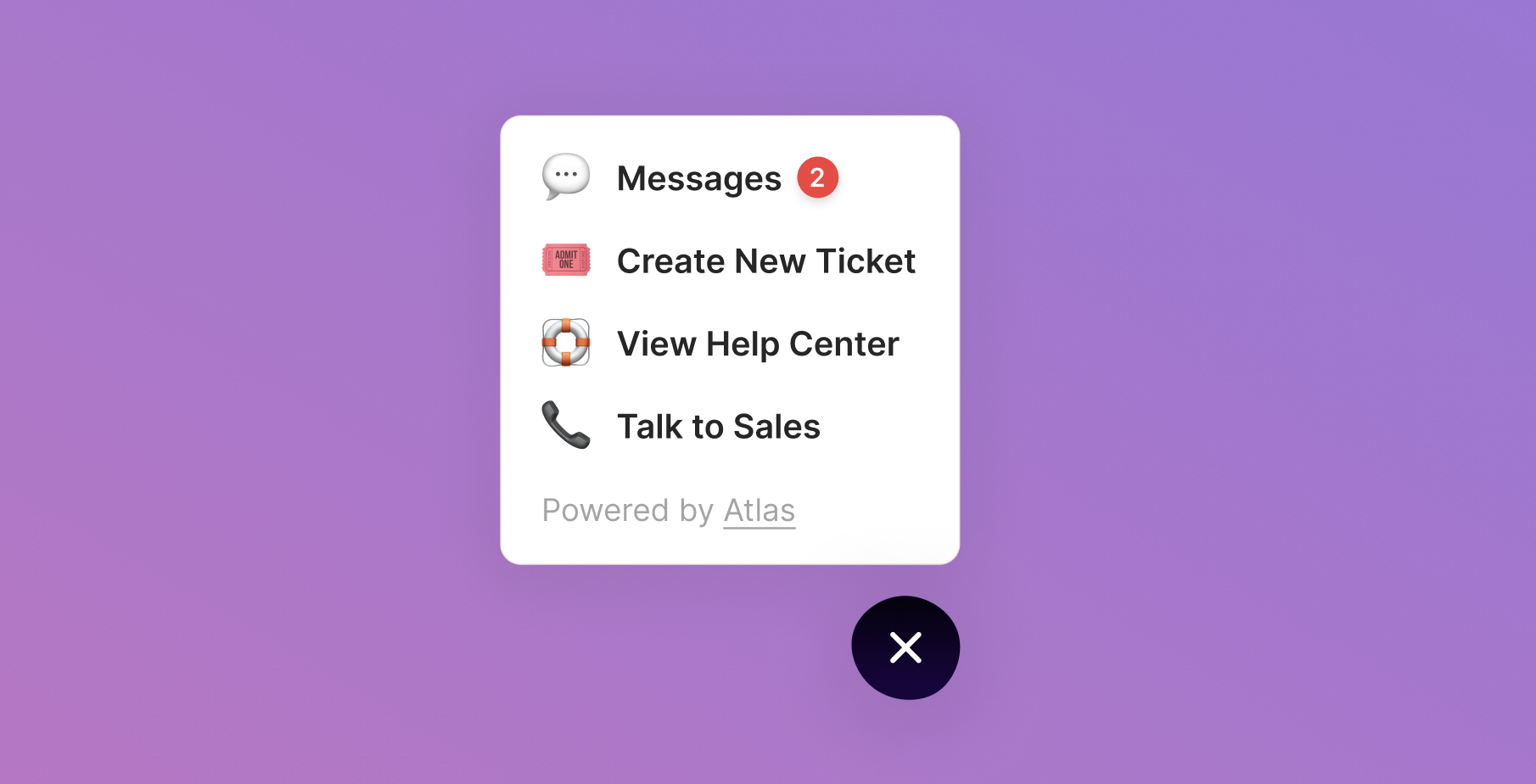
Sometimes you want to nudge your customers to take some common actions to support themselves before reaching out to your team directly via chat. Enter the widget menu.
When you enable the widget menu, the chat widget icon is replaced by a “?” bubble which shows your widget menu options when opened. You can add three types of menu options:
- apps: chat (💬) allows your customers to talk with you via chat, inbox (📬) shows your customers the different tickets they have open with you, and help center (📚) lets your customers view your help center from the widget
- link: send your customers to the URL of your choice (eg, Talk to sales → calendly link)
- callback: trigger workflows on your page with a custom callback function (eg, What’s new? → opens release log tab from navbar)
Inbox
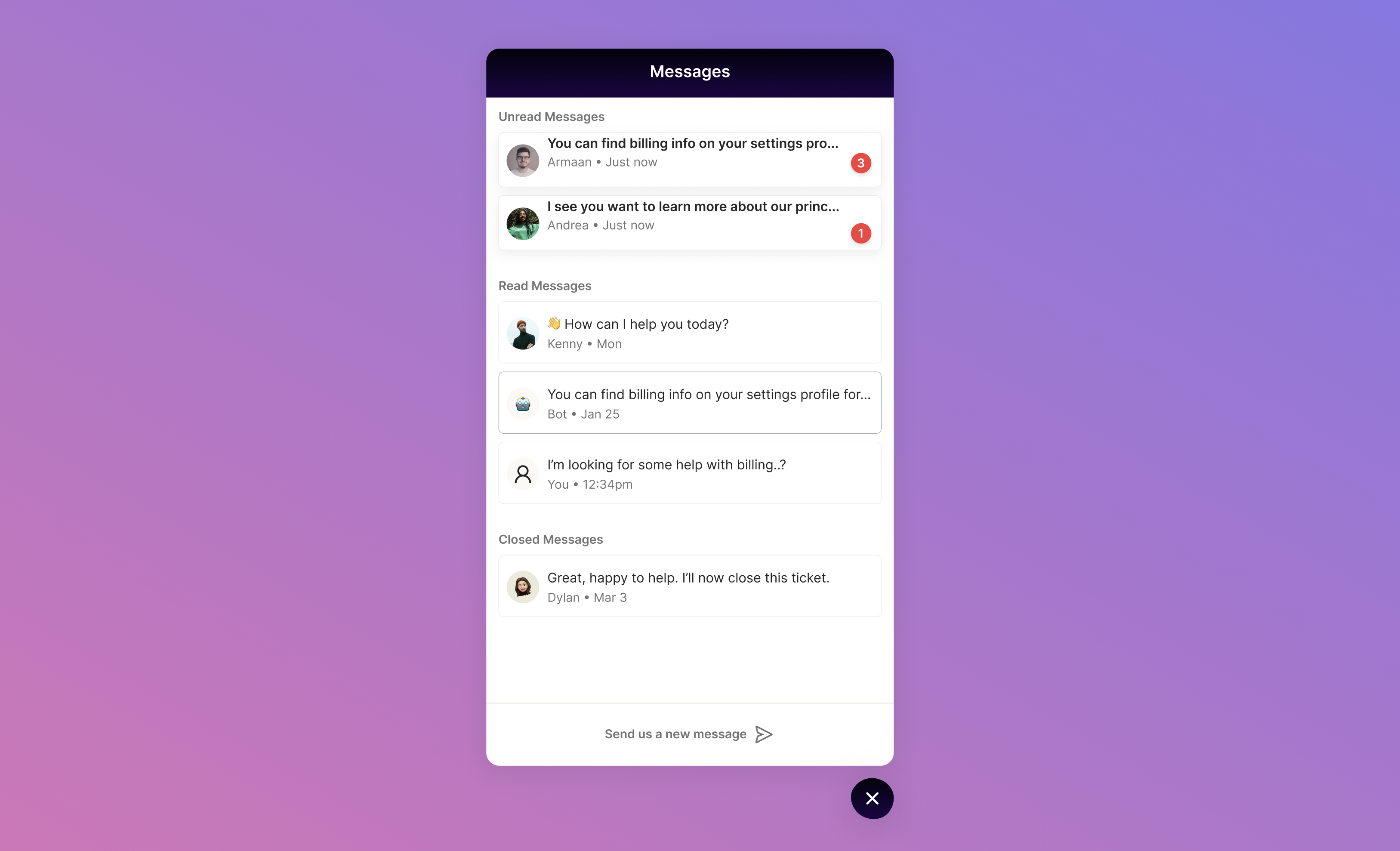
Prior to release, it was sometimes difficult for customers to keep which conversation was the most important for them to view. We’ve now made it much easier for your customers to know which conversations are the most important for them to view by clustering tickets as unread, open, and closed.
Chat
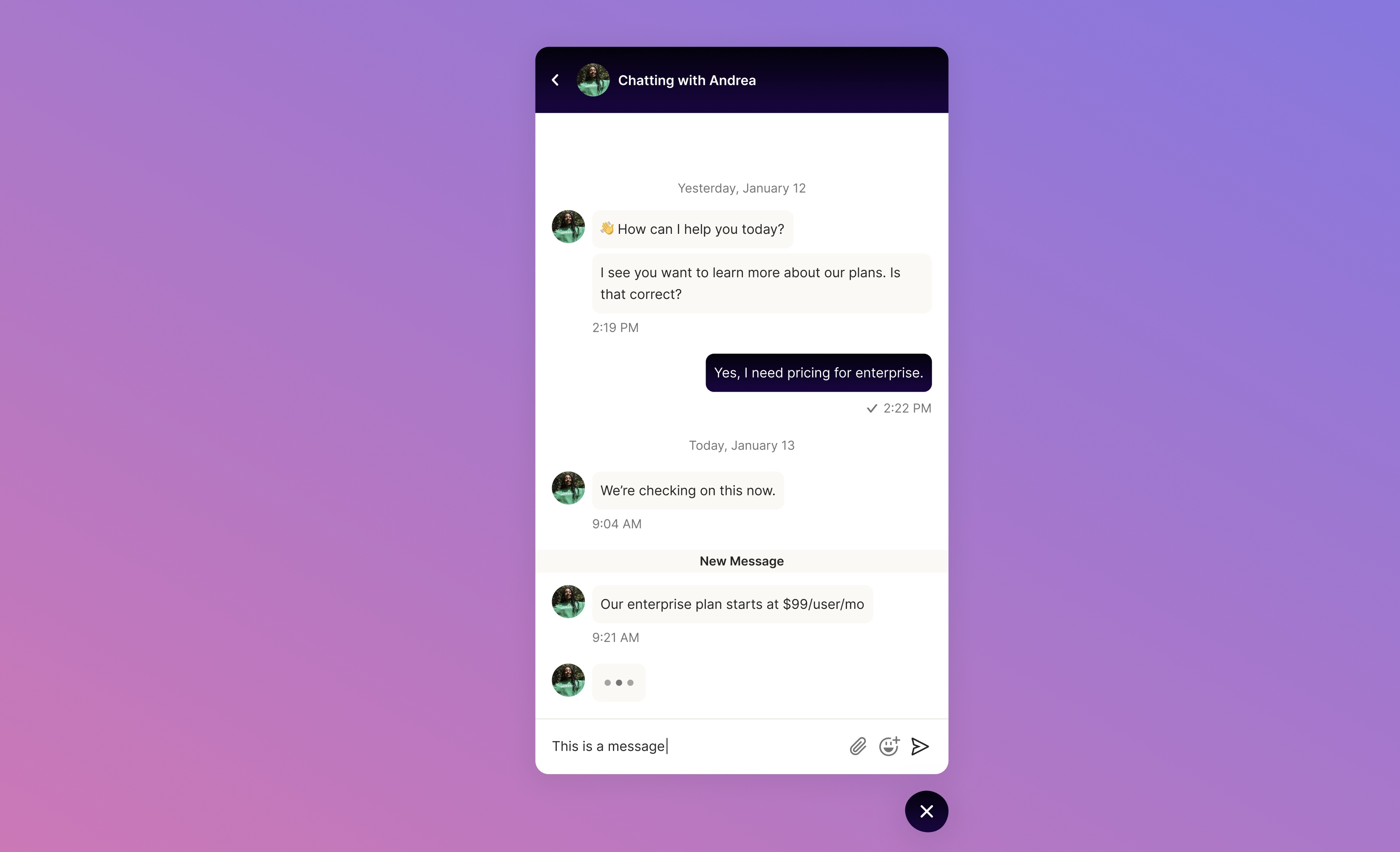
To make the chat experience more pleasant for your customers, we added some polish to the chat app via animations, a larger widget area, more informative message statuses, and a notification when an agent from your team is typing.
Help Center
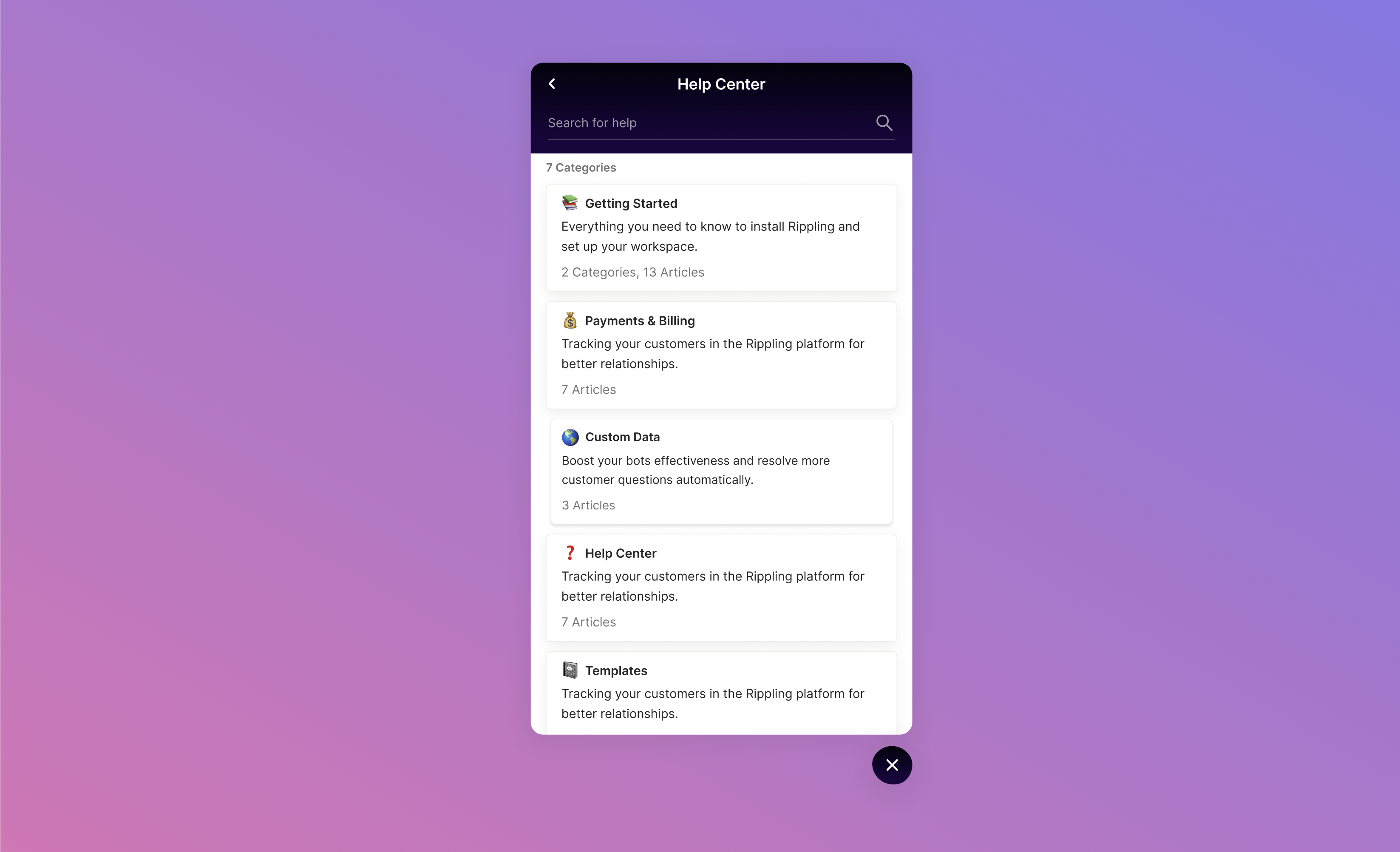
There are times when you want your customers to have quick access to your help center so they are more likely to view the articles you’ve painstakingly written. To handle this, you can enable the chat widget and add the help center app.
Your customers will then see your top level help center categories and can navigate into them to see their constituent categories and articles as well as search for the contents of any article.
Miscellaneous
Finally, we added a handful of fixes to improve the overall customer experience:
- better state management: when a customer closes the widget and re-opens it, they’ll remain on the same page they were last viewing; going “back” within the widget will retain its since of directionality, going up and down in the view history stack
- gradient background support: you can now switch from a monotone background to whatever gradient and direction suits your heart’s desires
- light/dark font toggle: if you’ve got a light background, you can now switch to dark fonts to complement it
- customizable widget shape: get your customers’ attention with a shape that is a little different from the standard chat widget (or, if you’re feeling extra edgy, you can max out the variation and the widget will slowly and continually morph shapes)