Composer, v2
This week we’re releasing our new Composer with changes that make it much more discoverable.
Here’s what we’ve changed.
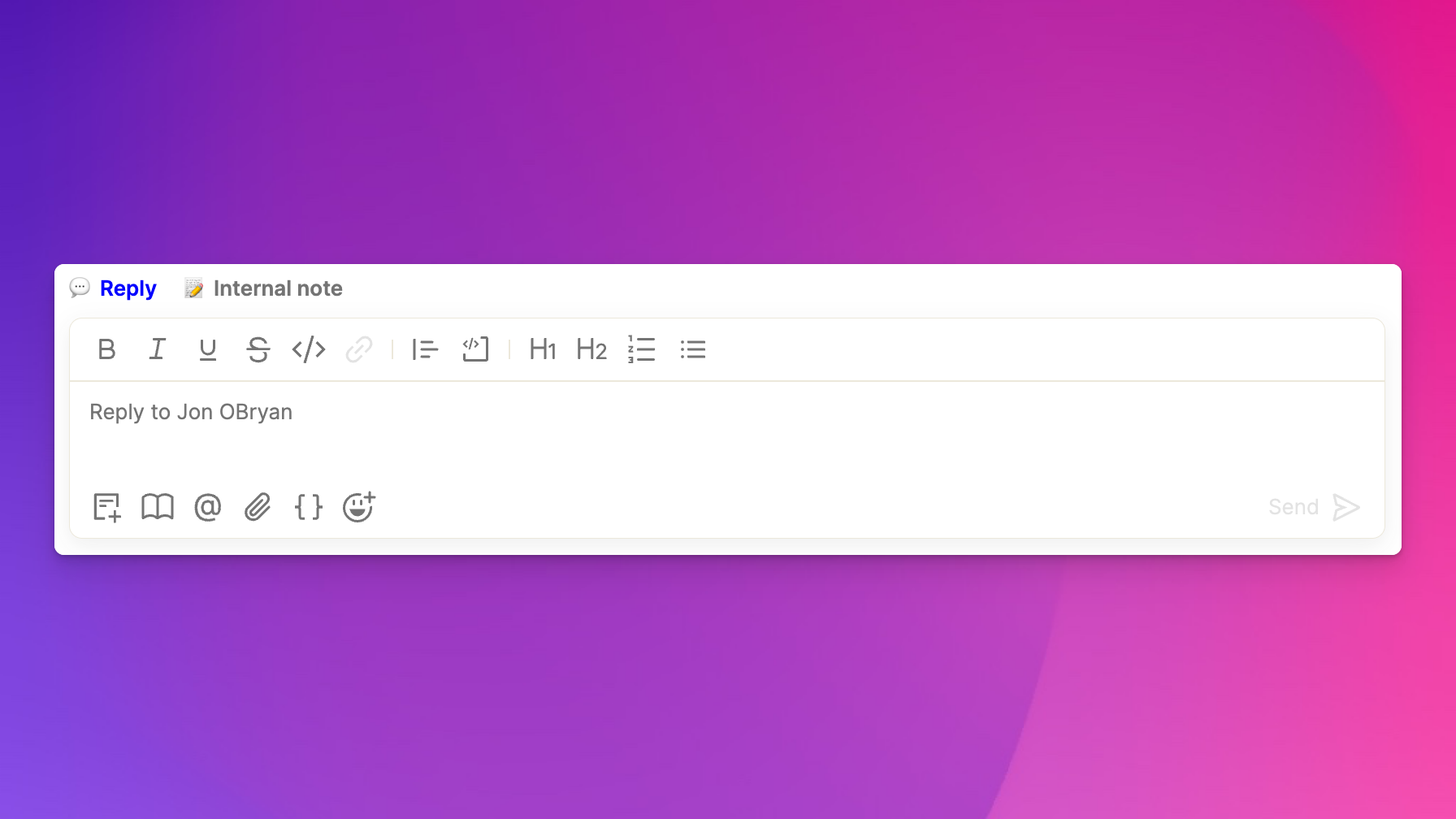
Easier formatting
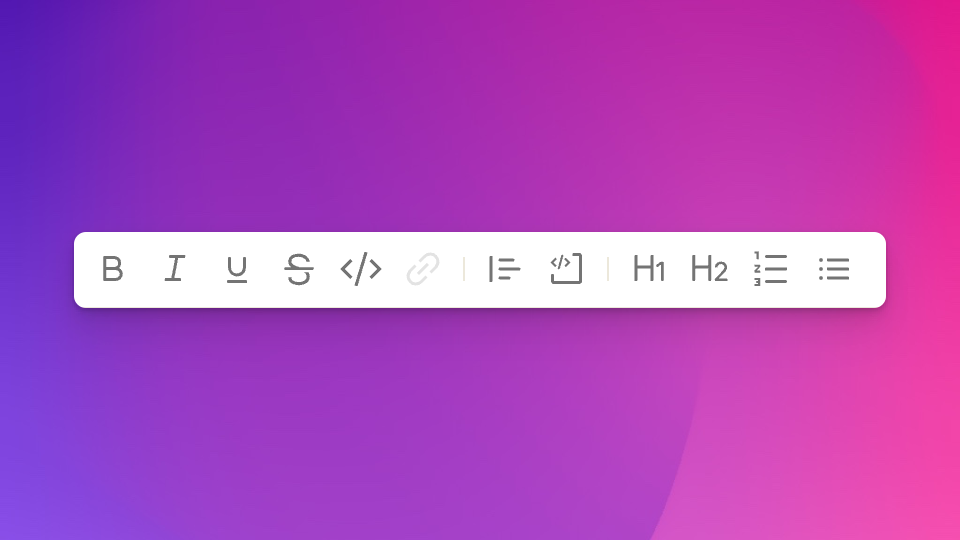
The top of the Composer is now the text formatting toolbar. From here, you can format text, insert code or quote blocks, add headers, and create lists.
Each formatting option has a hotkey. Here are a few of the most common ones:
- Bold (⌘B)
- Italicize (⌘I)
- Underline (⌘U)
- Strikethrough (⌘⇧X)
- Code (⌘E)
- Link (⌘K)
Hover over any of them to see their hotkey or just press ? from anywhere in Atlas to see the hotkeys guide. We also continue to support markdown directly within the composer. Some common, useful markdown, for instance:
- at the beginning of a line:
- “- ” or “* ” will turn the line into a bulleted list
- “1. “ will turn the line into a numbered list
- “# ” and “## ” will turn the line into a heading or subheading line, respectively
- wrapping text with:
- “*” will bold the text (eg, “text” → “text”)
- “_” will italicize the text (eg, “text” → “text”)
Quick actions
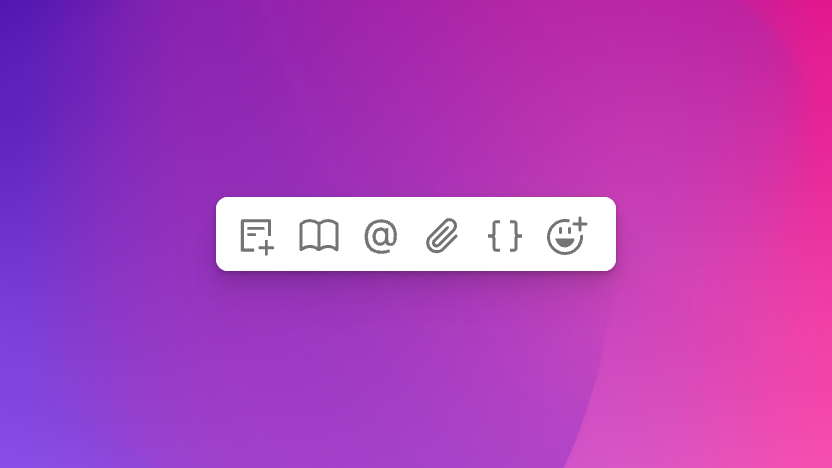
The bottom of the Composer now allows you to insert articles, canned responses, tag teammates, add attachments, and insert variables.
We also continue to support quick action hotkeys:
- Insert snippet (type “#” in the Composer)
- Insert article (type “$” in the Composer)
- Tag teammate (type “@” in the Composer)
- Insert variable (type “{{” in the Composer)
Sending modes
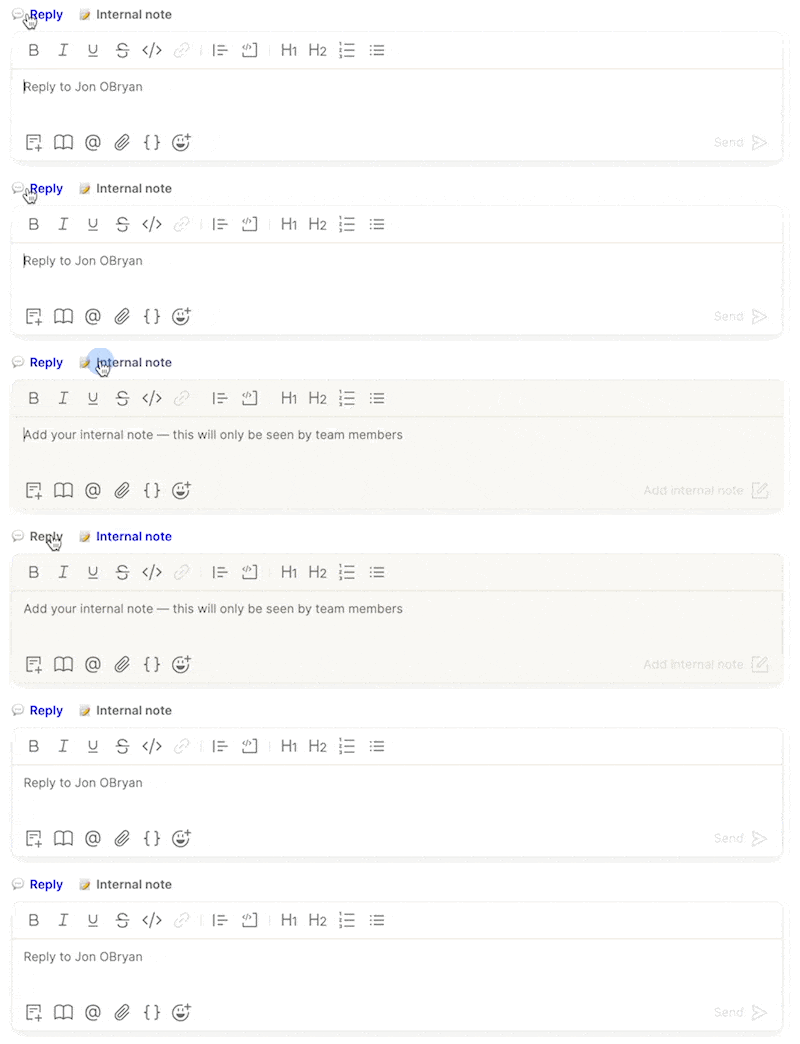
The top tabs of the Composer allow you to clearly delineate whether you are sending a reply or writing an internal note.
Bonus: One Composer to rule them all
Finally, we’ve updated the Composer in all locations throughout the app (eg, canned responses, article editor, chatbot editor, etc.) so you’ll have the same capabilities no matter where you’re writing a message.