This week we’re ringing the proverbial bell by releasing notifications for ticket updates.
As much as we would love you to be in Atlas all the time (j/k… 😅), we realize that there are times when you need to leave Atlas to do other things. We’ve built a few different modes for notifications to let you know when you should come back to Atlas to help out a customer.
There are now four different ways to be notified when important changes to tickets are made:
- Slack notifications
- email notifications
- browser notifications
- sound notifications
Setting up notifications
To adjust your notification settings, go to Settings > Notifications:
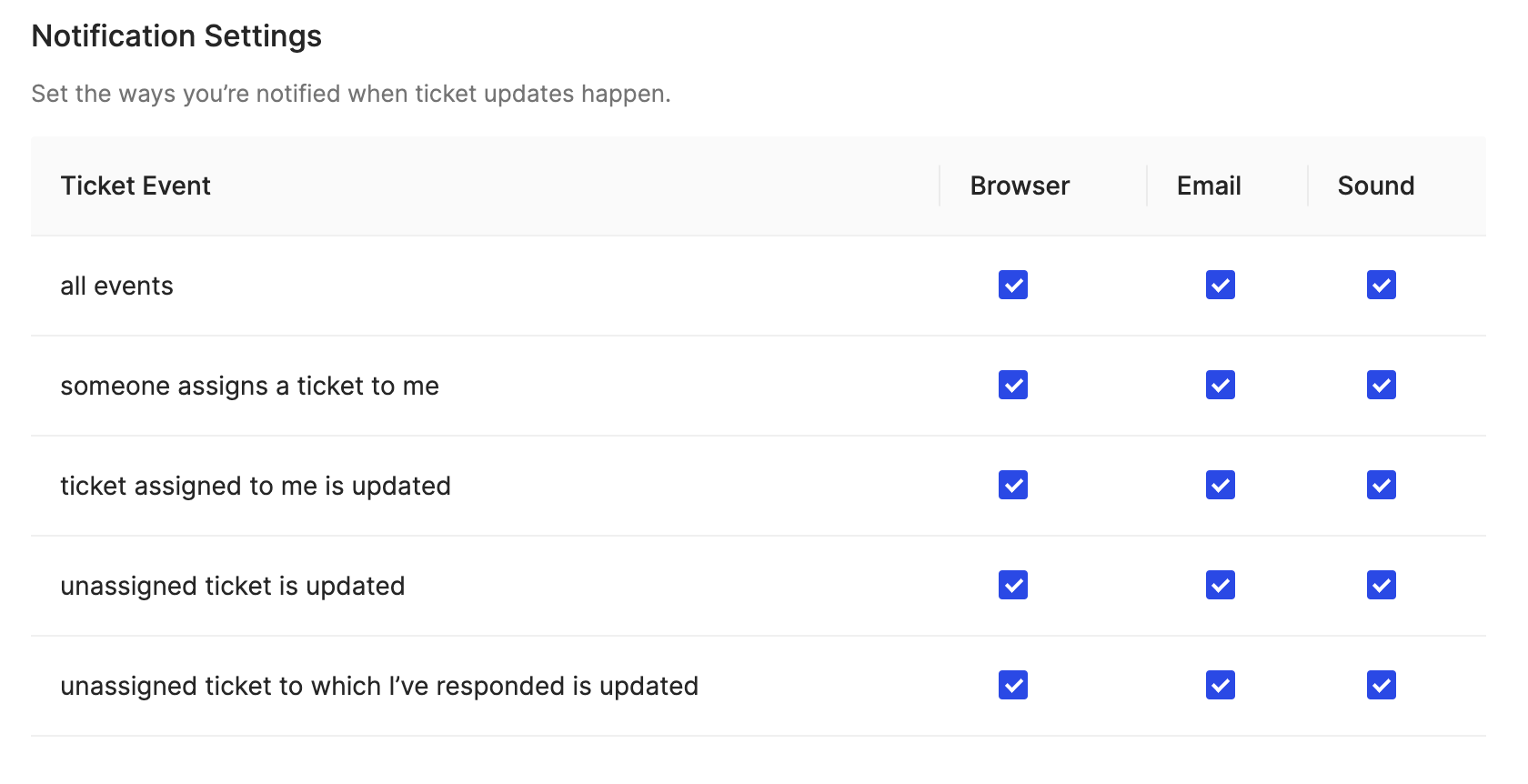
Slack notifications require connecting Atlas to Slack at which point you’ll receive notifications based off of your Slack notification settings.
Email notifications
Notifications sent to your email are formatted like the following:
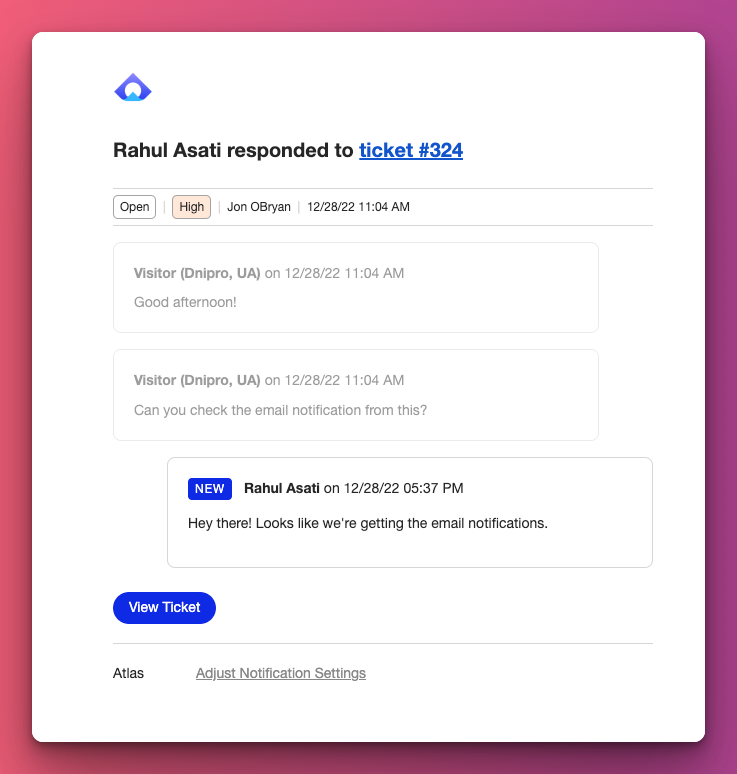
If the update is related to a new message, you’ll see the message(s) marked as “New”. If the update is related to a ticket property changing (ie, changing the assigned agent, priority, or status), then you’ll see the update in the first line (eg, “Rahul assigned ticket #234 to you”).
Browser & Sound notifications
To setup browser and sound notifications, enable notifications at your OS level and browser level and then make sure Atlas is listed as an approved app at both levels. Here’s a quick guide for setting up both browser and sound notifications on Mac and Windows for Chrome.