This week we’re releasing a new version of the customer timeline. Here are some of the major changes:
- faster loading
- updated ticket formatting
- improved readability
Faster loading

One of the biggest improvements in the new customer timeline are improved load times. We’ve sped up the initial page load times and timeline jumps by 10x.
Additionally, we’ve changed the animations when jumping to different tickets in the timeline so they’re smoother (or instantaneous if the jump is far enough).
New ticketing format
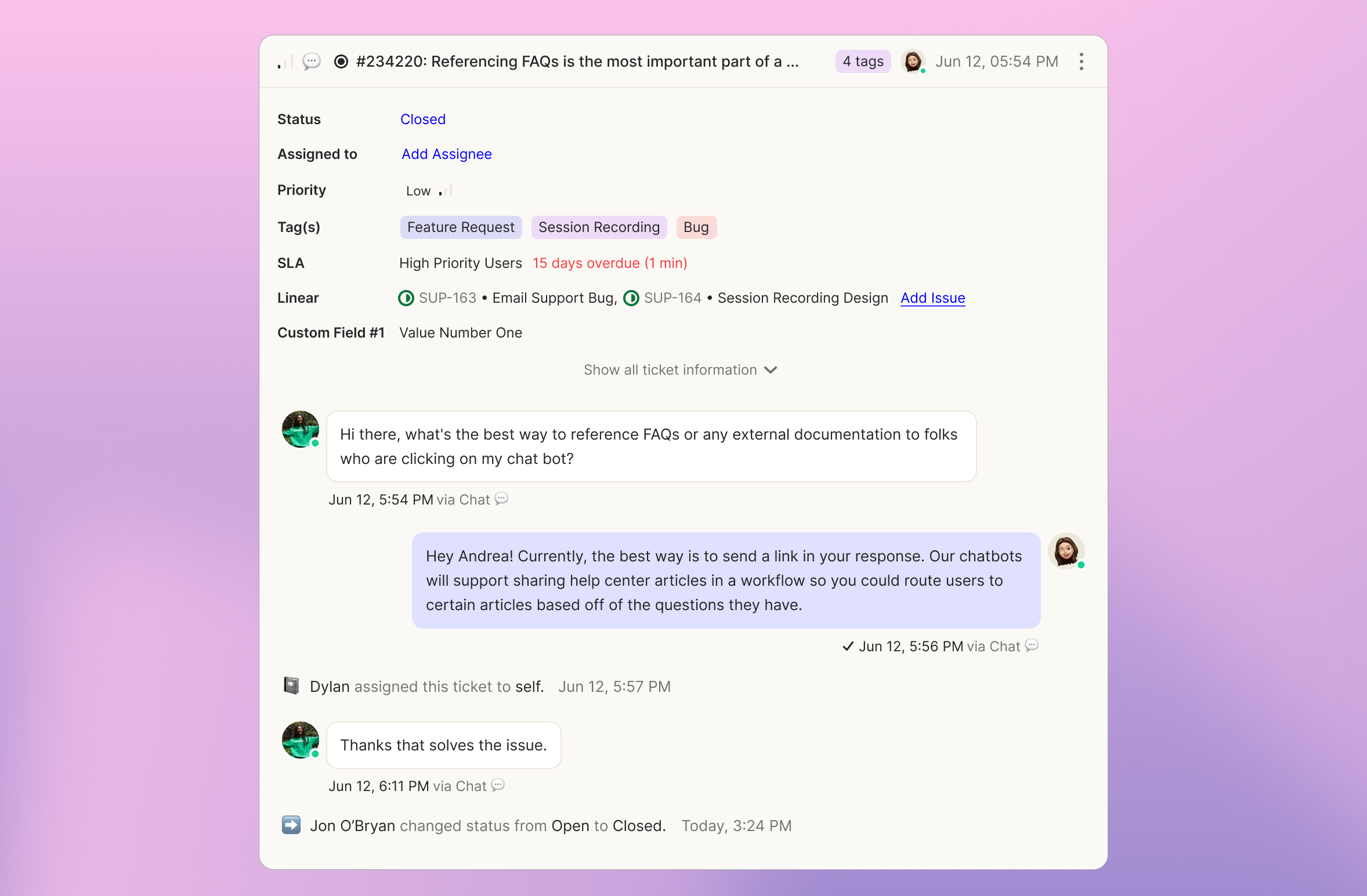
In the new version of the customer timeline, we wanted to make it easier to find ticket vitals and to know which ticket was in scope.
To that end, we added ticket vitals to the top of each ticket so they’re easy to find as you’re scrolling through the timeline (and able to be changed directly at the top of the ticket or top of your screen if you’ve moved past the top of the ticket).
Additionally, the composer is now anchored to the bottom of each ticket so you know exactly to which ticket you’re responding. And when a ticket is closed, you need to proactively click “Reply” to open the composer so that you don’t accidentally open a ticket.
Better readability
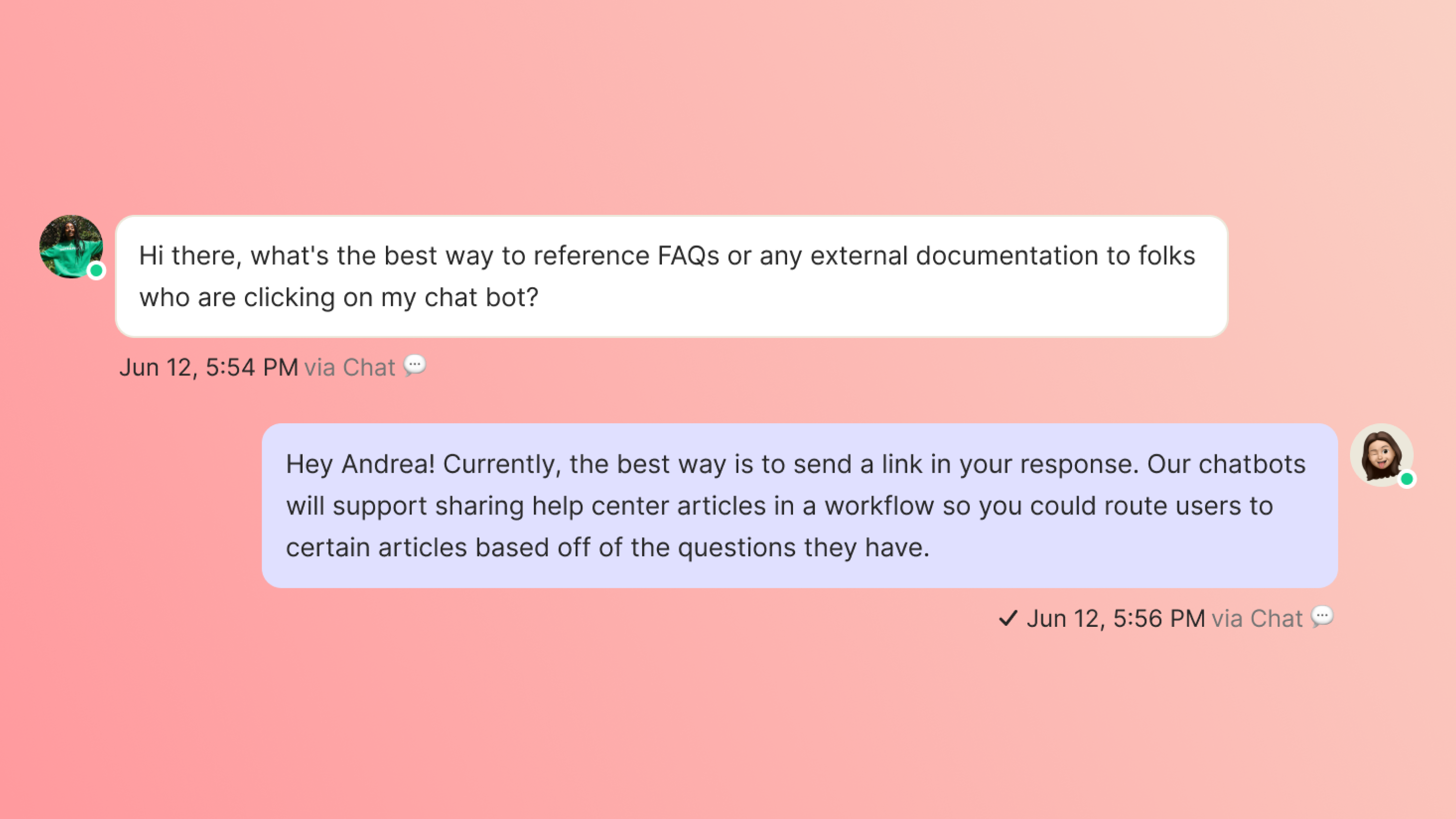
To make it easier to quickly grok your customer’s history, we:
- changed agent message background to blue to make it easier to identify which messages are from your team vs. customers
- widened messages by 20% so that you can see more messages within a single screen
- improved delivery statuses below messages so you know who messages are being delivered to and can see more detail